New here? Paper Compute records what your AI agent actually does.Start your agent through our CLI, and every session becomes a permanent, searchable record: the conversation, the tools it used, what it cost.
Hacktoberfest 2026 is about hands-on open source AI, and "writing your first skills.md" is one of the activities the official site names. Recorded sessions make that easy: pick your best one, and paper console can generate a skill from it automatically. The work you already did becomes your first draft. This page gets you there: set up in about ten minutes, record a real session, and turn it into a skill you can publish and share. No experience with agent skills needed.
✦ It's free to sign up, record your sessions, and generate skills — for Hacktoberfest and beyond. No special tier, no credit card.
This opens a browser window to connect the CLI to your account. Check it worked with paperctl whoami.
paperctl login
04
Record a session
Pick your agent, start it through paperctl, then use it exactly like you always do. The session is recorded in the background — conversation, tool activity, and cost.
Claude Code
paperctl start claude
Codex
paperctl start codex
Pi
paperctl start pi
05
Create your first skill
Three ways to do it. Pick whichever feels natural — they all land in the same editor, and the skill writing lab below teaches you how to make the result good.
Generate it from your session
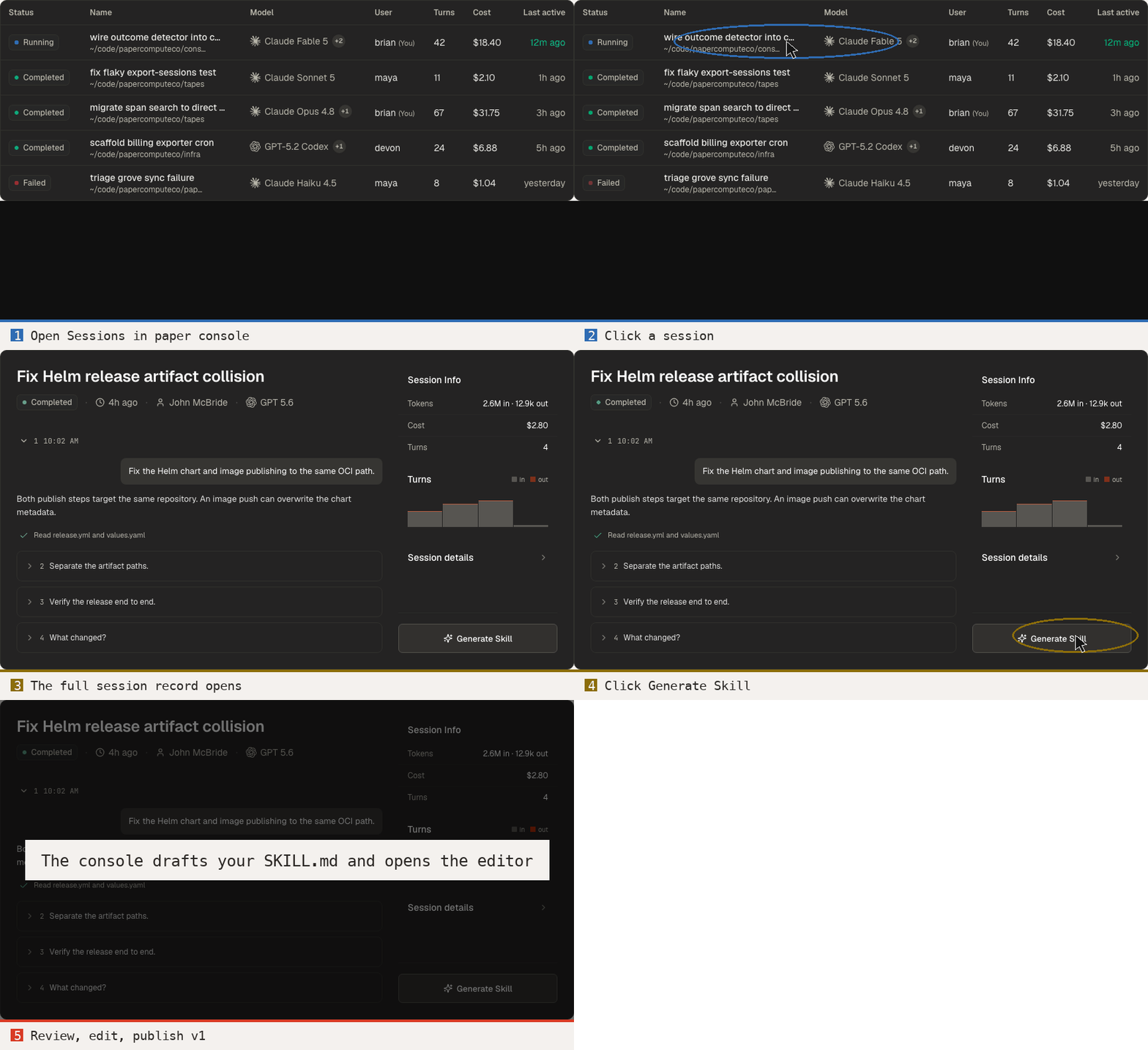
Sessions → click your session → Generate Skill. The console drafts your SKILL.md and opens the editor.Open your sessions →
Shortcut for agent users: already have Claude Code or another coding agent open? Point it at papercompute.com/start.md — an agent-followable runbook of these exact steps. Your agent does the setup; you do the Hacktoberfest part.